Published · Updated
In short: Warehouse management software (WMS) runs the physical work of a warehouse: where every item sits on the shelf, what comes in and goes out, and who picks what. Unlike the stock module of an accounting package, which mainly tracks quantities and value, a WMS also knows locations and the work queue. A typical WMS uses barcode scanners at receiving, picking and dispatch, and integrates with the online store and accounting. Off-the-shelf software suits a warehouse with a standard process; a custom WMS pays off when the warehouse serves several clients, bills them for services or needs special integrations.
Warehouse management software becomes necessary the moment spreadsheets and memory stop working: the goods are in stock but nobody can find them, store stock levels do not match, and stocktaking eats a weekend. This guide explains what a WMS does, how barcode scanners and stocktaking fit in, which off-the-shelf tools are used in Estonia and when it makes sense to have a system built. Our example is the fulfilment system we built for the Estonian 3PL company AW Logistics.
What is warehouse management software (WMS)?
A WMS is software that manages a warehouse’s physical processes: receiving, putting goods away to bin locations, picking, packing, dispatch and returns. Every movement is recorded, usually by scanning a barcode, so the system always knows how much stock there is and where it is.
| Stock module in accounting | WMS | |
|---|---|---|
| Core question | How much stock do we have and what is it worth? | Where is it and who does what next? |
| Locations | Warehouse as a whole | Rack, row, level, pallet |
| User | Accountant, buyer | Warehouse staff, picker, manager |
| Device | Computer | Barcode scanner, mobile terminal, phone |
| Example | Merit Aktiva or Directo stock module | Dedicated WMS or custom system |
A small online store is often fine with its accounting software’s stock module. A WMS becomes necessary with many bin locations, several staff or stock belonging to several clients.
What are the core features of a WMS?
- Bin locations. Every item has an address (e.g. rack A, row 3, level 2), which cuts searching and helps new staff get productive quickly.
- Receiving. Incoming goods are scanned and checked against expected quantities, so discrepancies show up immediately.
- Picking. Pickers get a list with locations, and scanning confirms the right item was taken.
- Dispatch. Each parcel is linked to the order, the courier and the tracking code.
- Returns. Returned goods are checked and put back or written off.
- Multi-client warehouse. In a 3PL warehouse each client’s goods, stock and billing are separate, and clients see only their own data.
- Billing. Storage, receiving and picking are calculated and invoiced automatically.
- Integrations. Online stores (WooCommerce, Shopify), accounting, couriers and supplier feeds.
How does a barcode scanner work in a warehouse?
A barcode scanner reads the code of a product or bin location and sends it to the warehouse software. One scan replaces manual typing and reduces the risk of the wrong item or quantity.
| Device | How it works | Best for |
|---|---|---|
| USB or Bluetooth scanner | Acts like a keyboard: the code appears in the active field | Packing desk, small warehouse |
| Mobile terminal (Android) | Built-in scanner and warehouse app in one device | Picking between racks |
| Smartphone camera | An app reads the code with the camera | Low volume, testing |
| Ring or wrist scanner | Hands stay free, pairs with phone or terminal | High picking volumes |
When choosing, check that the scanner reads your code types (e.g. EAN and QR), that your software supports it and that the battery lasts a full shift.
What is stocktaking and how does a WMS make it easier?
Stocktaking is the physical count of goods compared with the recorded stock. It reveals shortages, surpluses and damaged goods and brings the records in line with reality. It is usually done at least at the end of the financial year, and many warehouses also count part of the stock regularly.
- Full stocktake. The whole warehouse is counted at once, usually with operations paused.
- Cycle counting. A share of locations is counted every day or week while the warehouse keeps working.
- Scan-based counting. The location and product codes are scanned and the system shows discrepancies immediately.
A barcode-based WMS speeds up stocktaking because the expected content of each location is known and count results do not need to be retyped.
Off-the-shelf warehouse software or a custom WMS?
Estonian warehouses use both the stock modules of accounting and ERP software and dedicated WMS products. A few examples whose features we checked in the vendors’ documentation (November 2026):
- Merit Aktiva. Accounting software that records stock movements and calculates cost price.
- Directo. An ERP with a WMS Direct interface for connecting external warehouse systems: receipts and deliveries scanned in the warehouse post to Directo documents.
- Erply. A POS and inventory system whose guides include a WMS app and stocktaking with a data collector.
- Odoo. An ERP whose Barcode app supports scanning receipts, deliveries and inventory adjustments.
| Criterion | Off-the-shelf | Custom WMS |
|---|---|---|
| Time to go live | Fast, if your process fits | Slower, requires development |
| Upfront cost | Lower, monthly fee | Higher, a development project |
| Process fit | Process adapts to the software | Software adapts to the process |
| Multi-client billing (3PL) | Often limited or an add-on | Built around your own price list |
| Integrations | Existing plugins | Any API or CSV |
| Dependency | Vendor’s pricing and roadmap | Company owns code and data |
When does a custom warehouse system pay off?
- The warehouse is a service. A 3PL or fulfilment warehouse bills clients for storage and handling and needs a client portal.
- Special integrations. Several store platforms, supplier feeds and accounting must work together.
- User numbers grow. Per-user licences get expensive with many staff and clients.
- The process is a competitive edge. If your warehouse works differently from the standard, you do not want to bend it to fit a product.
How do you implement a WMS?
- Map the process. Write down how goods arrive, where they go, how orders are picked and who confirms what.
- Label the warehouse. Give every bin location a code and check that products carry barcodes.
- Clean the data. Product master data, units and opening stock; the best moment is right after a stocktake.
- Choose devices. Test scanners between real racks, not in the office.
- Integrate. Store, accounting and couriers before the warehouse switches over.
- Go live in stages. Start with receiving or one client and expand once staff are comfortable.
Example: the AW Logistics warehouse system
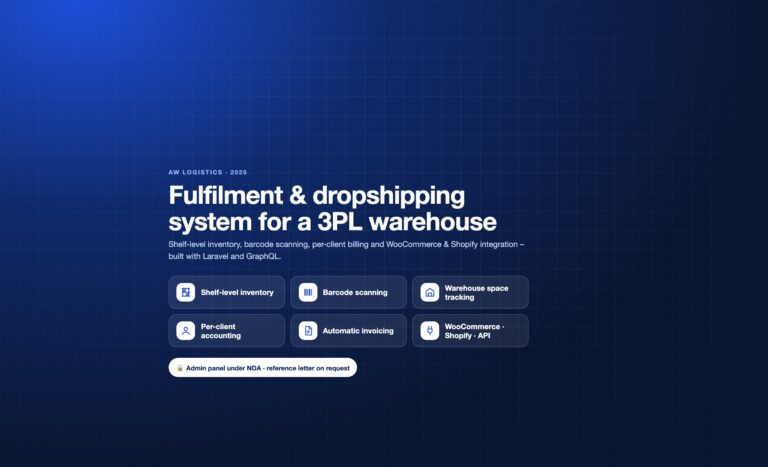
AW Logistics OÜ is an Estonian 3PL company whose warehouse holds stock for multiple online stores. In 2025 we built their warehouse system and keep developing it. It covers shelf-location inventory, barcode scanning at receiving, picking and dispatch, warehouse space tracking, per-client stock and accounting, automatic invoicing, roles (admin, picker, client), receipt confirmation notifications, CSV stock import, shipment photos and returns. WooCommerce and Shopify stores connect via plugin, other platforms via API. Under the hood it runs on Laravel 11, a GraphQL API, Redis queues, MariaDB and Docker. Read more in the AW Logistics case study.
How IT Solutions Group can help
We map your warehouse process and tell you honestly whether an off-the-shelf tool is enough or a custom system is worth building. We develop custom warehouse systems as part of custom ERP development or as stand-alone custom software development, including store and accounting integrations.
Related reading: dropshipping and fulfilment in Estonia, WooCommerce integration with Merit Aktiva and Directo and order processing automation.
Frequently asked questions
What is the difference between a WMS and an ERP?
An ERP manages company-wide processes from sales and purchasing to accounting. A WMS focuses on physical warehouse work: locations, receiving, picking and dispatch. The two are often integrated.
Does a small online store need a WMS?
Usually not: the accounting software’s stock module and the store’s stock levels are enough. A WMS becomes necessary with many locations, staff or clients.
Which barcode scanner should a warehouse use?
A USB or Bluetooth scanner suits a packing desk; a mobile terminal suits picking between racks. Check that your software supports the device and your code types.
How often should you do stocktaking?
Usually at least at the end of the financial year. A barcode-based WMS makes cycle counting practical, counting part of the locations every day or week.
Is a custom WMS always more expensive?
The upfront cost is higher, but there are no per-user licences. For a multi-client warehouse with special billing rules, a system of your own can be cheaper in the long run.