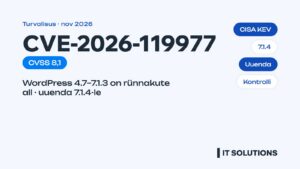
In short: WordPress 7.1.4 (28 Oct 2026) is a security release fixing remote code execution, XSS and permission flaws. Install the latest security release of your branch, update or remove Bricksforge, Prime Mover, WPOrLogin and Stape, and take a backup before updating.
WordPress 7.1.4 was released on 28 October 2026 as a security update. It fixes, among other things, a remote code execution (RCE) risk, several stored XSS issues in blocks and the Interactivity API, and a permissions bug in the comment moderator role. WordPress recommends updating immediately. In the same week several critical vulnerabilities were found in popular plugins, and one of them (Bricksforge) is already being exploited. Here is a summary for business owners in Estonia: what happened, who is affected and what to do today.
What does WordPress 7.1.4 fix?
- Remote code execution (RCE): the most dangerous class of bug, through which an attacker can take control of the whole website.
- Stored XSS in several blocks and Interactivity API features: a malicious script can stay in the page and run in a visitor’s or administrator’s browser.
- A permissions bug in the comment moderator role.
- Information disclosure and authorization weaknesses that let users see or change data they should not have access to.
Sources give different totals (13 to 22 fixes), because some issues only affect newer versions. Importantly, WordPress has backported the fixes to older branches too; version 6.0.18, for example, was also released on 28 October. So not every site has to jump to 7.x right away, but the latest security release of your branch must be installed.
How to check whether your website is up to date
- Log in to the dashboard and open Dashboard → Updates. If it says a new version of WordPress is available, your site is not up to date.
- Open Tools → Site Health: it also shows WordPress, PHP and plugin versions. See our guide to WordPress Health Check and Site Health.
- Check that automatic security updates are enabled. By default WordPress installs minor releases itself, but many hosts and plugins turn this off.
- Take a backup before updating, and afterwards test your contact form, shopping cart and payments.
Critical plugin vulnerabilities this week
Bricksforge: actively exploited
A flaw in Bricksforge, an add-on for Bricks Builder (CVE-2026-85097, CVSS 9.8–10), lets an attacker without logging in upload a PHP file to the server and run it, effectively taking over the site. Patchstack saw the first exploitation attempts on 7 October. Versions up to 3.1.8.9 are affected; the fix is in 3.1.8.10.
Prime Mover (backup and migration)
A PHP object injection flaw (CVE-2026-115806, CVSS 9.8) in all versions up to 2.2.1. An attacker can hide a malicious object in an ordinary comment, and it triggers when an administrator runs an export or restore.
WPOrLogin
A flaw (CVE-2026-110691) lets an unauthenticated attacker change the login URL and lock administrators out. Fixed in version 3.1.0.
Stape and dozens of other plugins
The Stape plugin was closed on WordPress.org on 13 October with no newer version available, so it should be removed or replaced. On 22–24 October alone, more than 50 new CVEs were published for plugins. Most have not yet been seen in attacks, but that usually changes quickly once a flaw is public.
What to do today: checklist
- Update WordPress to the latest security release of your branch (7.1.4 or the matching release of an older branch).
- If you use Bricksforge, Prime Mover or WPOrLogin, update them now or deactivate them.
- Delete inactive plugins and themes: a deactivated plugin’s files are still on the server.
- Review administrator accounts: are there users you do not recognise?
- Make sure backups run automatically and are stored off the server.
- Update PHP too if your host offers a version with security fixes.
If your site already behaves strangely (unknown links, redirects, new administrators), see our hacked website repair service. If you want updates always done safely and tested, see WordPress updates and monthly WordPress maintenance. Also this week: what is new in WordPress 7.2 and browser news for web developers.
Frequently asked questions
What is WordPress 7.1.4?
It is the WordPress security update released on 28 October 2026. It fixes a remote code execution risk, several stored XSS issues and permission bugs. WordPress recommends updating immediately.
Do I have to move to WordPress 7.x right away?
Not necessarily. WordPress backports security fixes to older branches. What matters is installing the latest security release of your branch; a major version upgrade is best tested on a copy first.
How do I know if my site uses a vulnerable plugin?
Open Plugins in the dashboard and look for Bricksforge, Prime Mover, WPOrLogin and Stape. All plugin versions are also listed on the Info tab of Site Health.
Are automatic updates safe?
Minor security releases are generally safe. Automatic updates of plugins and major versions can break the design or the shop, so a backup and a check after updating are recommended.
What if my website has already been hacked?
Do not delete anything before taking a copy. Change passwords, review users and contact a developer who will clean the files, find the entry point and update the software.
Not sure your website is safe? Run a free website audit or contact us and we will check WordPress, plugins and your PHP version.
Sources
- WordPress.org – Version 7.1.4
- WordPress News
- SecurityOnline – WordPress 7.1.4 Security Release
- Pantheon – WordPress 7.1.4 release notes
- The Hacker News – Bricksforge WordPress flaw exploited
- SecurityWeek – Bricksforge plugin vulnerability exploited in the wild
- CVE-2026-115806 – Prime Mover
- VulDB – CVE-2026-110691 WPOrLogin
- Westoakbridge – WordPress plugin vulnerabilities, October 23–24, 2026