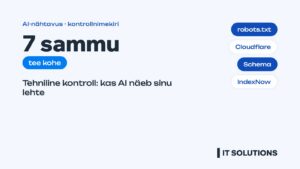
In short: An AI visibility checklist starts with the technical basics: if an AI crawler cannot see your site, no copywriting will help. Check 7 things right now: robots.txt allows AI search crawlers (OAI-SearchBot, Claude-SearchBot, PerplexityBot), Cloudflare or your firewall does not block them, content is visible in HTML without JavaScript, structured data is in place, the sitemap and IndexNow work, the site is in Google Search Console and Bing Webmaster Tools, and pages load fast. llms.txt is an optional extra, not a must.
Most advice on AI visibility is about content. But the problem is often simpler: the ChatGPT, Claude and Perplexity crawlers cannot reach your site at all, or they see an empty page. This AI visibility checklist is meant to be done today – most items take 10–30 minutes.
1. Does robots.txt allow AI search crawlers?
Open yoursite.com/robots.txt. AI companies use different crawlers for different purposes, and you need to tell them apart:
| Company | Search and citations | Model training | User request |
|---|---|---|---|
| OpenAI (ChatGPT) | OAI-SearchBot | GPTBot | ChatGPT-User |
| Anthropic (Claude) | Claude-SearchBot | ClaudeBot | Claude-User |
| Perplexity | PerplexityBot | – | Perplexity-User |
| Google (Gemini, AI Overviews) | Googlebot | Google-Extended | – |
| Microsoft (Copilot) | Bingbot | – | – |
The key rule: do not block the search crawlers. OpenAI states plainly that sites opted out of OAI-SearchBot are not shown in ChatGPT search answers. You can decide separately about training crawlers (GPTBot, ClaudeBot, Google-Extended) – Google-Extended does not affect Google Search or AI Overviews.
An example robots.txt that keeps the site open to AI search:
# AI search: allow
User-agent: OAI-SearchBot
Allow: /

User-agent: Claude-SearchBot
Allow: /

User-agent: PerplexityBot
Allow: /

# AI training: your choice (Allow or Disallow)
User-agent: GPTBot
Allow: /

User-agent: ClaudeBot
Allow: /

User-agent: Google-Extended
Allow: /

Sitemap: https://example.ee/sitemap_index.xml
2. Is Cloudflare or a firewall blocking AI crawlers?
robots.txt can be fine and the crawler still gets nowhere. The cause is often the security layer: Cloudflare has dedicated settings for blocking AI crawlers and managing bots, and a hosting firewall or WordPress security plugin may limit unknown bots. Check:
- in Cloudflare under Security → Bots, whether AI crawler blocking is switched on;
- in your server logs, whether OAI-SearchBot, PerplexityBot and Claude-SearchBot get a 200 or a 403 response;
- in your security plugin (Wordfence and others), whether these bots are restricted.
3. Is your content visible without JavaScript?
Many AI crawlers do not run JavaScript – they read only the HTML the server sends. If your prices, service descriptions or FAQ load via a script, the AI sees an empty page. To check, open the page, choose View page source (Ctrl+U) and search for your main text. If it is not there, the page needs server-side rendering. WordPress pages are usually fine, but sliders, tabs and price calculators are worth checking.
4. Is structured data in place?
Schema.org markup tells machines directly who you are and what you offer. The minimum set:
- Organization or LocalBusiness: name, registry code, address, phone, logo, opening hours, sameAs links to profiles;
- Service or Product on service and product pages;
- FAQPage for question blocks;
- Article and Person on blog posts: author, publish and update dates.
Check the result with Google’s Rich Results Test and the Schema.org validator.
5. Do the sitemap and IndexNow work?
AI search relies heavily on search engine indexes. The faster a new page gets indexed, the sooner it can appear in AI answers. Make sure sitemap_index.xml is referenced in robots.txt and contains no broken or redirected URLs. Add IndexNow – it notifies Bing and other search engines of new or updated pages instantly.
6. Is the site in Google Search Console and Bing Webmaster Tools?
These are the only free tools that show AI visibility straight from the source:
- Google Search Console – indexing, errors and a report on how pages appear in Google’s AI features;
- Bing Webmaster Tools – since February 2026, an AI Performance report showing how often your pages are cited in Copilot and Bing AI summaries. You can import the site directly from Search Console.
7. Is the site fast and stable?
A slow page may time out for a crawler, and a poor user experience lowers the regular rankings that AI answers depend on. Target an LCP under 2.5 seconds on mobile and a server that responds quickly under load. See how speed affects SEO.
Do you need llms.txt?
llms.txt is a file proposed in 2024 that gives AI a short summary of your site and its key links. 2026 data shows the major AI crawlers rarely read it, and Google says it is not needed for Search. Adding it is cheap and helps developer tools and AI agents, but it does not replace any item above.
The checklist in one table
| # | Check | Time | Who |
|---|---|---|---|
| 1 | robots.txt allows OAI-SearchBot, Claude-SearchBot, PerplexityBot | 10 min | You / developer |
| 2 | Cloudflare, firewall and security plugin do not block | 20 min | Developer |
| 3 | Main text is in the page source (HTML) | 10 min | You |
| 4 | Organization, Service, FAQ, Article schema | 1–3 h | Developer |
| 5 | Sitemap and IndexNow | 30 min | Developer |
| 6 | Search Console and Bing Webmaster Tools | 30 min | You |
| 7 | LCP under 2.5 s on mobile | varies | Developer |
Once the technical side is sorted, the next steps are content that AI cites and pricing, comparison and FAQ pages. Go deeper: opening your site to AI crawlers, Schema markup for AI visibility and what llms.txt is. We explain how this differs from SEO in AI visibility vs SEO.
Frequently asked questions
Does blocking GPTBot remove me from ChatGPT?
No. GPTBot collects data for model training. Appearing in ChatGPT search is controlled by OAI-SearchBot – if that is allowed, you can block GPTBot.
Does blocking Google-Extended remove me from Google AI Overviews?
No. According to Google, Google-Extended does not affect Google Search or AI Overviews. Those are handled by the regular Googlebot.
How do I check whether AI crawlers visit my site?
Look in your server or Cloudflare logs for the user agents OAI-SearchBot, Claude-SearchBot and PerplexityBot and their response codes. A 403 means they are blocked.
How quickly do changes take effect?
According to OpenAI, a robots.txt change for OAI-SearchBot takes effect in about 24 hours. Appearing in AI answers takes longer: the page has to be indexed and earn trust.
Want us to check these 7 points on your site? Run the free website audit, see our AI search visibility service or contact us.
Sources
- OpenAI – Overview of OpenAI crawlers (OAI-SearchBot, GPTBot, ChatGPT-User)
- Anthropic – Does Anthropic crawl data from the web (ClaudeBot, Claude-SearchBot, Claude-User)
- Perplexity – Perplexity crawlers
- Google Search Central – Overview of Google crawlers and fetchers (Google-Extended)
- Google Search Central – AI features and your website
- Vercel – The rise of the AI crawler (JavaScript rendering)
- Search Engine Land – Bing Webmaster Tools AI Performance report
- PPC Land – llms.txt adoption rises, but most files get no AI requests